



Latest Version
Evernote Corporation
General
Mac
Free
406056744
Report a Problem
More About Evernote
The Challenge of Modern Information Overload
In an era dominated by digital distractions, keeping track of fleeting thoughts, meeting minutes, and daily schedules can feel like an uphill battle. Scattershot note-taking across different scrap papers and various device apps often leads to lost information and missed deadlines. The Evernote digital notebook app solves this exact problem by serving as a single, centralized workspace for your entire life.
Developed by Evernote Corporation, this powerful productivity platform is built for the Mac. It acts as an external brain, helping you capture, organize, and retrieve your thoughts and files from any location with absolute ease.
Key Features of the Evernote Digital Notebook App
This software goes far beyond simple text entry. It offers a robust ecosystem of organizational tools designed to streamline your workflow:
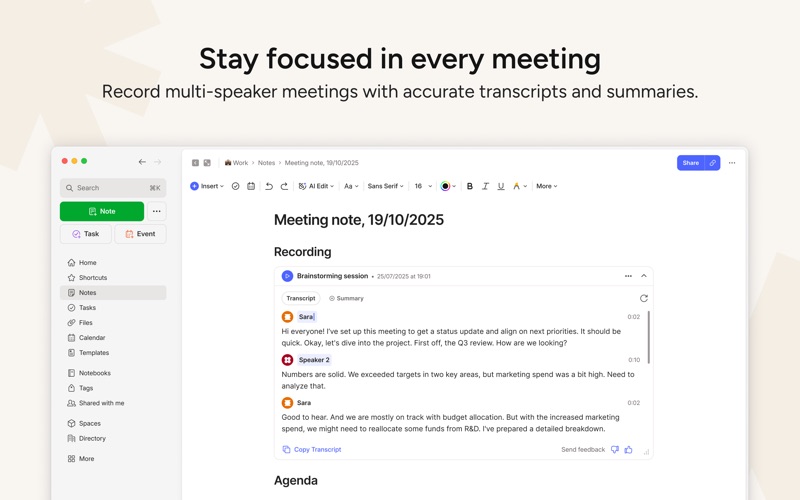
- Multi-Format Capturing: Write traditional text notes, compile checklists, attach PDFs, upload photos, sketch ideas, or record audio clips directly into your workspace.
- Web Clipping: Use the dedicated browser extension to clip entire web pages, articles, or receipts to read or reference later.
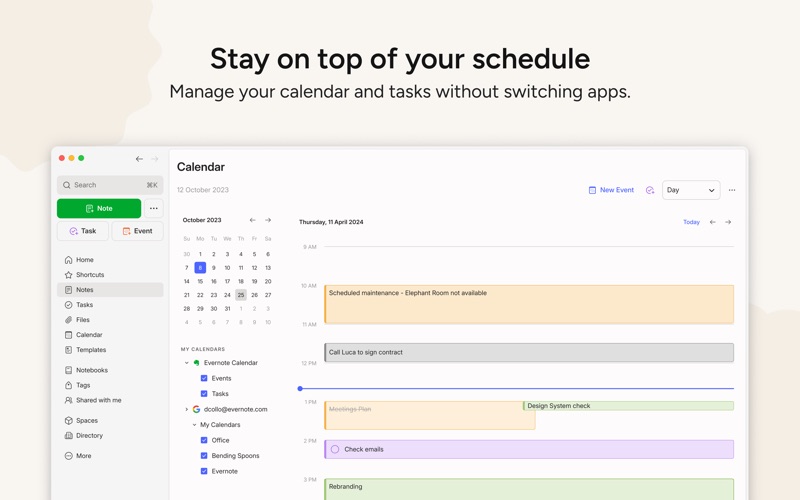
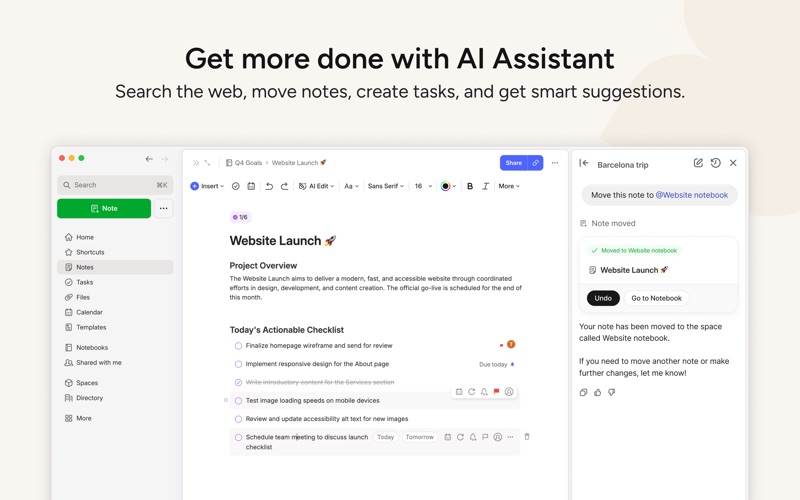
- Integrated Task Management: Manage your daily to-do list alongside your notes by setting due dates, flags, and timely reminders.
- Google Calendar Integration: Link your schedule to your documentation so you can prepare for meetings and link notes directly to specific calendar events.
- Advanced Search Capabilities: Locate any document instantly. The system's powerful search indexing can even find typed or handwritten text inside uploaded images and scanned PDFs.
Tailored for Professionals, Students, and Daily Life
Whether you are managing a corporate team, studying for final exams, or simply trying to go paperless at home, this application adapts to your specific environment.
In professional settings, the app allows teams to collaborate through shared notebooks and centralized spaces, keeping everyone aligned on project deliverables. For students, it serves as an excellent lecture companion, making it easy to categorize notes by subject, archive research materials, and track assignment due dates. In everyday life, it functions as a digital filing cabinet for bills, invoices, receipts, and personal journals.
Seamless Cross-Device Synchronization
One of the platform's greatest strengths is its automatic synchronization. Because your data syncs securely across your computer, tablet, and mobile devices, you can draft an outline on your Mac at the office and review it on your phone during your evening commute. You never have to worry about where a specific file is saved—everything is instantly updated across your entire hardware ecosystem.
Is This Productivity Suite Right for You?
If you need a reliable, feature-rich repository to centralize your thoughts, tasks, and documents, this tool is one of the most mature solutions on the market. It excels at turning chaotic streams of information into structured, searchable, and actionable knowledge.
To experience this productivity workflow for yourself, visit the official Apple App Store today to explore the Evernote digital notebook app and choose the plan that best fits your daily routine.
Rate the App
User Reviews












Popular Apps










Editor's Choice